The Case of the Missing Shell Icon Overlays
From the
Tree Computer Detective FilesDept.#microsoft #windows #explorer #tortoisesvn #tortoisegit #git #subversion #svn #icons #overlay
My boss came to me one day with a weird problem – he had just upgraded his (Windows) computer, and installed svn and TortoiseSVN and had checked out our Subversion[1] repository to his Documents folder.
Following my excellent “how to set up your subversion repo .. again” instructions [2] I had written down in our wiki[3] everything had worked fine. He could see the file contents from the subversion repo just fine, but for some reason he could not get the shell icons to show correctly in Windows (file) Explorer.
See, when you have something like a cloud file sync program (Dropbox, OneDrive, Google Drive) or a revision control (git, subversion) Explorer plug-in like TortoiseSVN/Git, when Windows Explorer shows files and their icons, those tie-in programs get the chance to show some additional status over top of the regular file icon. Like whether the file has been changed or modified. In the case of a file sync program it's usually either a green “sync'd ok” icon like this:
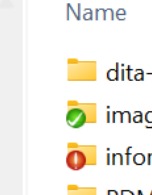 or something like a
 blue “still synchronizing” or red “error” indicator. Some Windows explorer views show “Status”, and this icon overlay, separately:
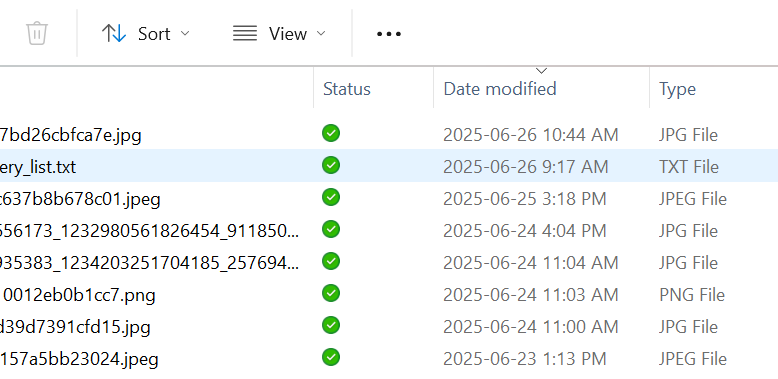
I know that TortoiseSVN's background “file status updater” service – the thing that actually scans, indexes and updates the behind-the-scene status of all the files in a sandbox folder – can sometimes take a few minutes to update. And I've seen the odd occasion where it just gets stuck. So I restarted the TortoiseSVN service; for good measure there's a facility in the settings where you can reset the overlay icon status and have TSVN rebuild it. Nope, that didn't help either.
Next step was to figure out why it worked on the old computer and not the new one. The first thing I checked was where the subversion sandbox was located; but in both cases, boss had checked out his subversion sandbox in his Documents folder. e.g. C:\users\boss\Documents\svn.repo\, so that's not the iss-
Until I remembered WHY boss got a new computer.
Typical, Microsoft, thanks: OneDrive, whether you like it or not
The reason why we were all getting new computers rolled out is we had been bought by Large American Conglomerate (LAG) and the LAG IT gestapo [4] had mandated Windows 11 across the board. Now, whether boss's old laptop didn't support Windows 11 or its TPM, or he was simply due for an upgrade, it didn't matter – even those of us with relatively recent Windows 11 capable PCs had seen our computers wiped, too:
- ensure the same, consistent (, draconian) corporate domain, group/role policies etc.
- only authorized applications are used.
One of the key policy changes moving from our old Small Co domain to the new LAG domain was “Everything Now Gets Kept in OneDrive”.
When you install OneDrive it “maps over” the usual Windows user-space folders like (My) Documents and Desktop to ones in your OneDrive account.
For example,
C:\users\you\Desktop
now becomes
C:\users\you\OneDrive\Desktop
and it is that latter that is now continuously sync'd with your cloud OneDrive account. Anything that is already IN Desktop gets copied (not moved) to the new location.
Because of the tight integration between OneDrive and Windows Explorer (and the underlying Shell32.dll), any time you click on Desktop you're really going to OneDrive\Desktop.. It just “hides” that from you.
Sure enough, our new LAG domain user folders were now all mapped to OneDrive.
Alright, surely more than one thing can add an overlay to a file icon?
Like, why can't I put a subversion sandbox or a git repo in my OneDrive\Documents folder? All OneDrive does is show if the file is sync'd to the cloud, all git/svn does is show if its “changed” or not.
Sure, you'd think they could. And they do... to a point.
But only up to 15 13 of them at most. And it's whichever goes first.
When Windows wants to display a file in Windows Explorer or any file dialogue, it checks the registry key
HKEY_LOCAL_MACHINE\SOFTWARE\Microsoft\Windows\CurrentVersion\Explorer\ShellIconOverlayIdentifiers to see which interested parties might want to jump in on how that file's icon is displayed.
Here's how this registry key looks on my computer that has – among other things – OneDrive, Dropbox and TortoiseSVN installed:
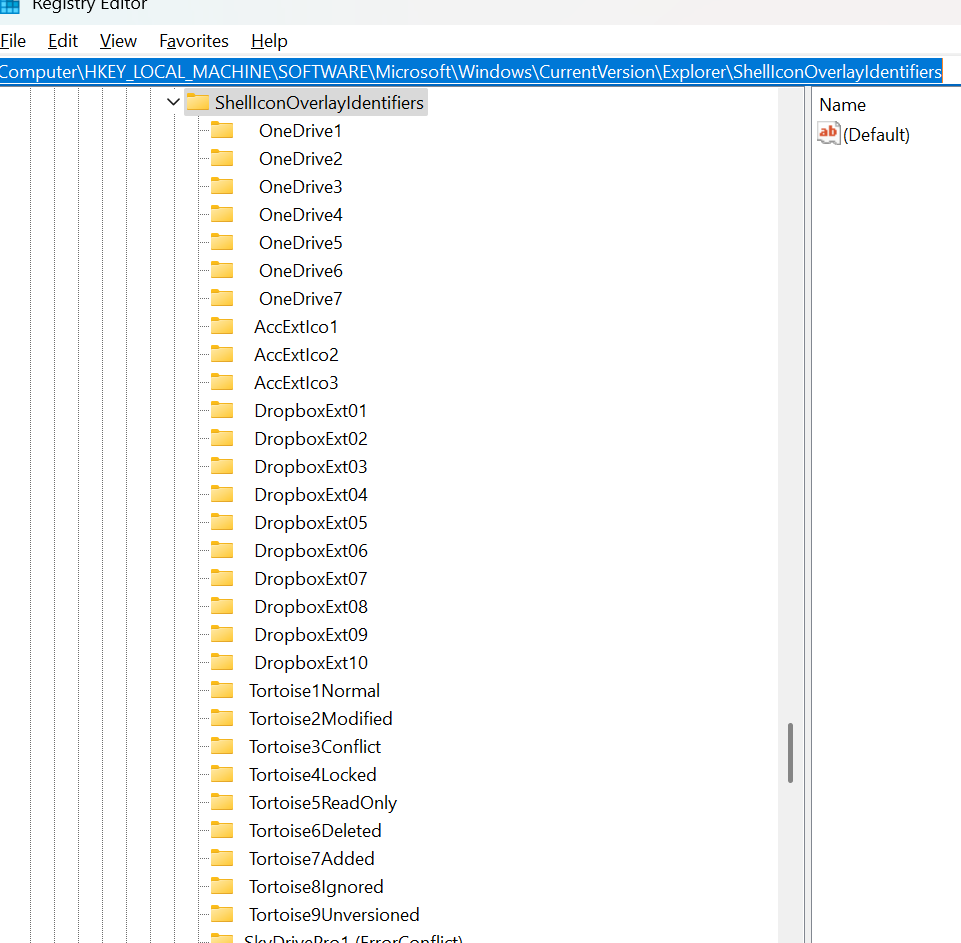
It turns out that the Shell32.dll subsystem only respects the first 15 of these defined. AND it does so in order of appearance in this registry key. And it does this in order of definition – once it finds a shell icon handler that wants to modify the shell's default icon, it stops (for that file.) – otherwise you'd potentially get a green Dropbox symbol fighting with a red git “modified” symbol (if you were silly enough to put a git repo inside a Dropbox folder) [5]
Not only that, two of them are hardcoded anyway, so really you can register thirteen of them here.
Wait a minute, you say, what little I know of the Windows registry says that sub-keys are processed (and displayed) in alphabetical order _, how did OneDrive get to the top?
It's difficult to see, but look closely – the OneDrive entries at the top have leading spaces (which when sorted alphanumerically, put them at the top).
So.. the fix is not what I think it is.. is it?
Yep, use registry editor to monkey with the names of the subkeys and put the Shell Icon Overlay handlers you want first:
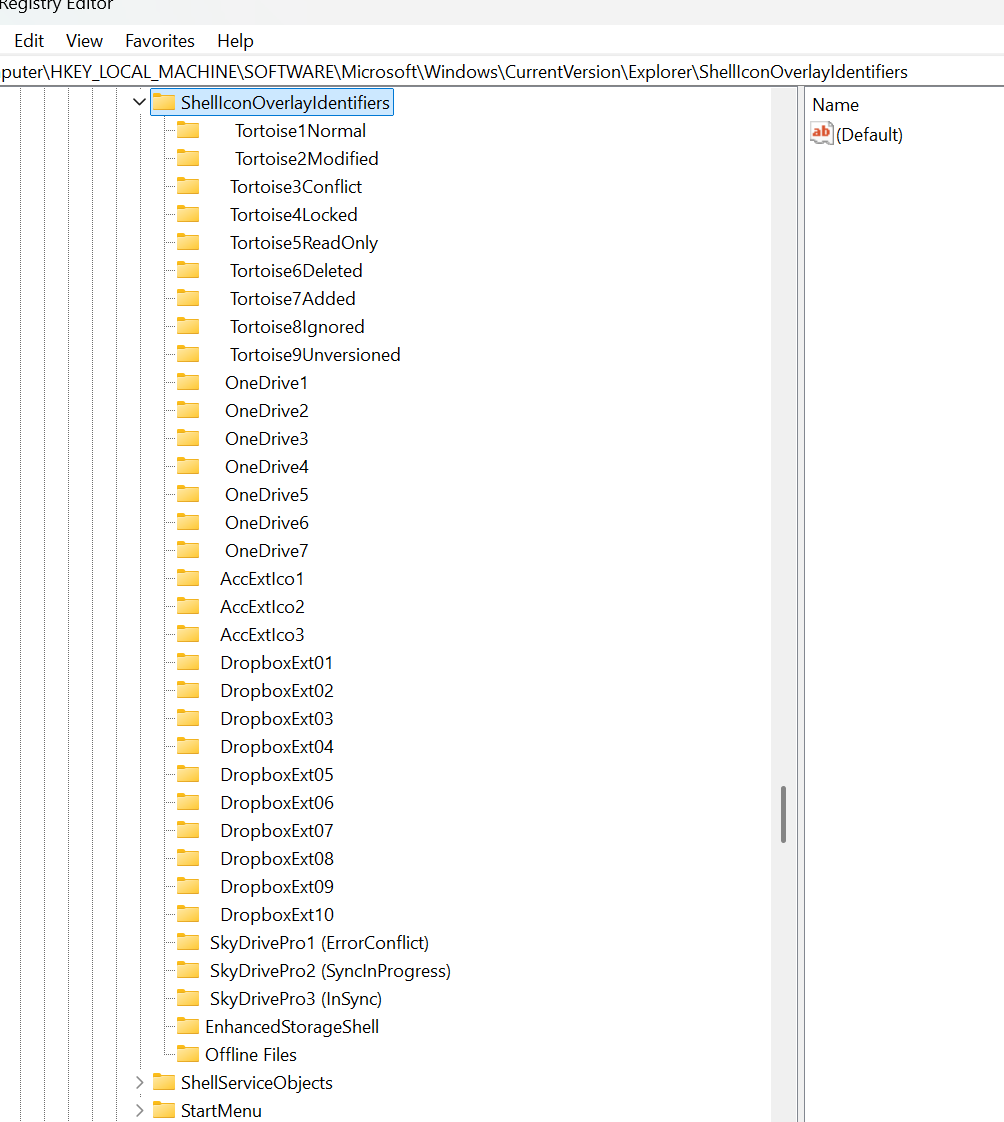
In fact, there are utilities that will do this for you (such as OverlayIconsEditor , but I haven't used any of them, so you're on your own.
But.. Why – 15 err 13? It seems arbitrary.
You'd have to talk to a long-time Windows Shell team member who was around when this decision was made (probably in the Windows 95 or NT days).
But think about what this subsystem has to do – reading the list of files from the file system is pretty fast. Visualizing more than a few dozen files will start to get slow. Now enumerate over each file and ask 15 different other processes “Hey, do you have something special you wanna show for THIS file?” – that can add a lot of delay. Now imagine if you had a folder with a few thousand files.. Which is not uncommon. Showing the icons could get real slow. So its not an unreasonable design choice to limit performance issues.
Breaking news We CAN ask Raymond Chen, Microsoft, who WAS around then: Why is there a limit of 15 shell icon overlays?
A1: its a lot of work and we're lazy – lol.
A2: icon overlays are a terrible way to convey information and you shouldn't really be using them (did.. they tell the OneDrive team this?)
thanks to Cody Gray's excellent StackOverflow answer here, though I did have to dig up Raymond Chen's blog, it had moved – we can't have nice things.
Footnotes
1 – Subversion? ugh, y not git? Well, we did move our source code to several git repos, but since they're hosted on Bitbucket, we're $capped$ on repo size; our old subversion repo has a lot of large non-code files. Also Subversion tends to do better with large binary files still, a bit like what GitLFS was intended to solve. We just don't see the urgency to migrate from svn for these files.
2 – you DO have instructions on how to bootstrap your code/file repos written down don't you?
3 – you DO have a knowledgebase/wiki .. right? RIGHT?
4 – no, they really are. All of our apps now get installed through their curated “App Portal”. Noone's user account is allowed Local Admin privileges – you have to use a special user account that gets audited. “Tree, why do you use your admin account so often” To install new sw? “You should get us to add the new software to the portal that way we can vet it!” Part of my job is to determine what new software we need?
5 – actually this is fine. Usually.. until its not. I keep several subversion sandboxes in my Dropbox folder because those are low traffic and keeping them sync'd via Dropbox means I don't have to remember to Update that sandbox when I switch computers. But my high traffic git repos, I don't keep in Dropbox because I already have various build and test triggers running, on top of the git triggers, having file sync hooks also getting involved would be murder for my storage devices and a potential vector for mangling.
References
- Cody Gray's StackOverflow answer: https://stackoverflow.com/questions/4411336/shelliconoverlayidentifiers-why-so-few
- Direct from Raymond Chen (Microsoft): https://devblogs.microsoft.com/oldnewthing/20190313-00/?p=101094 21 Raymond Chen's excellent blog, Old New Thing: https://devblogs.microsoft.com/oldnewthing/author/oldnewthing
Changelog
2026-03-14 – initial (happy Pi Day!)